 GPRviewer
Home › Concrete scanning software
Concrete scanning software
Before coring, saw cutting or drilling a slab, a concrete scan shows what is inside: rebar, post-tension tendons, conduits and the slab thickness. GPRviewer lets you review those scans in your browser, back at the office or on a tablet, and turn them into clear images and reports for your client.
Open GPRviewer for freeFree account, nothing to install, runs in your browser.
What a concrete scan shows
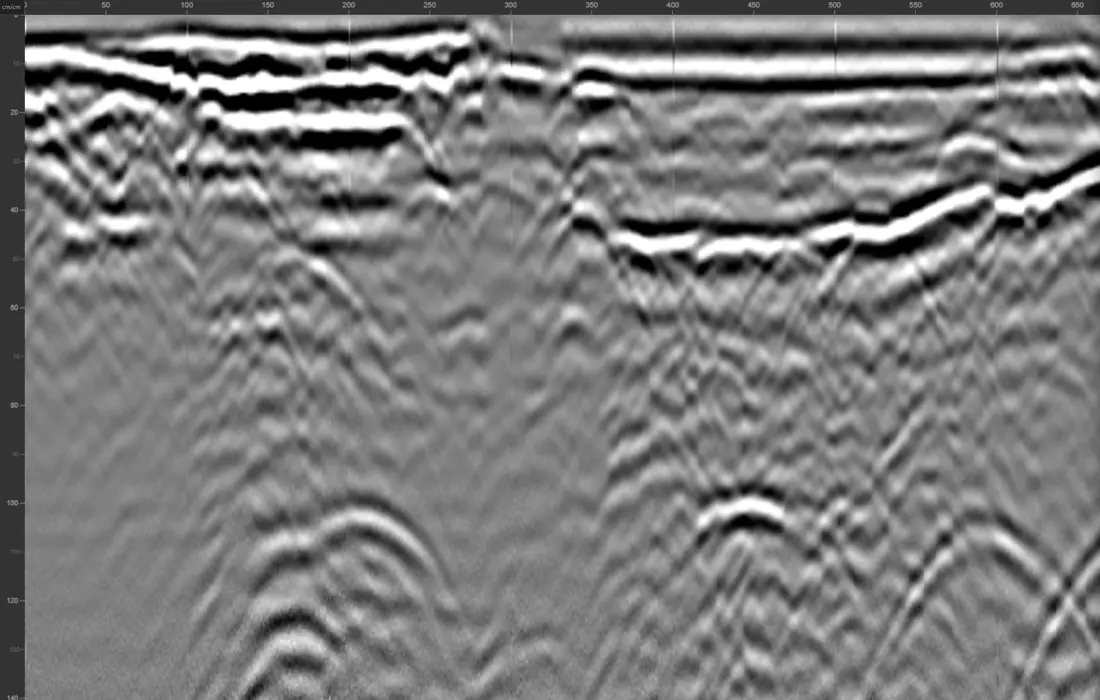
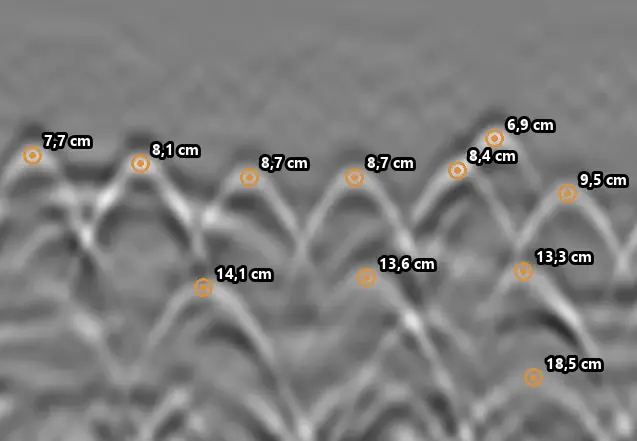
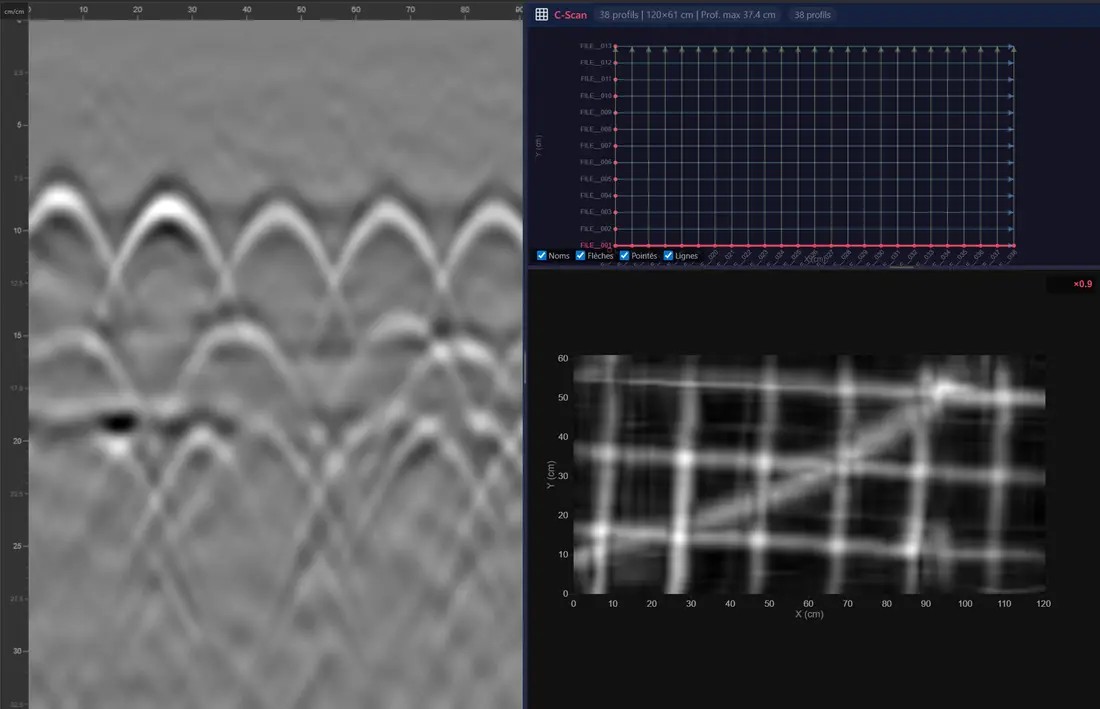
Every embedded target shows up as a hyperbola on the radargram: its apex gives the position along the scan and the depth. A rebar mat appears as a regular row of hyperbolas, post-tension cables and conduits as isolated ones, and the bottom of the slab as a continuous reflection that gives its thickness.
Telling a tendon from a bar or a conduit remains the operator’s call, based on depth, spacing and the shape of the reflection. GPRviewer gives you the tools to measure all of them precisely.
From scan to report
- Open GSSI .DZT and .nx files straight from the scanner, one file or a whole folder.
- Calibrate depth with the dielectric constant, or fit a hyperbola to measure the velocity in the concrete.
- Pick rebar by hand or with AI picking (one click per scan), and get minimum, mean and maximum cover and spacing.
- Combine parallel scans into a C-Scan plan view with depth slices to map rebar and conduits over an area.
- Export PNG images, a CSV of picks and an Excel measurement report with the radargram, a table per layer and statistics.
Works with your concrete scanner
GPRviewer reads files from the GSSI StructureScan Mini XT and Mini LXT, the SIR 4000 and SIR 3000 with high-frequency antennas (2.6 GHz, 2 GHz Palm, 900 MHz), FLEX NX with NX25 and NX15 antennas, and the tablet app (.nx). The system and antenna are recognized when the file opens.
Why in the browser?
Nothing to install and no workstation to share: the same survey opens on Windows, macOS, Linux or a tablet. Radar files are never kept on our servers; your settings and picks can be saved in a .mds file next to the scan.
Frequently asked questions
What software do I need to review concrete GPR scans?
A web browser. GPRviewer opens GSSI .DZT and .nx files for free with a simple account; picking, filters, C-Scan and reports are part of the Pro version.
Can it locate post-tension cables?
GPRviewer displays every reflection and lets you pick and measure it. Identifying which hyperbola is a tendon, a bar or a conduit is still the operator’s interpretation, using depth, spacing and the shape of the reflection.
Can I get concrete cover statistics?
Yes. Rebar picking gives minimum, mean and maximum cover and the spacing for each layer, exported to CSV or to an Excel measurement report.
Does it replace scanning on site?
No. Layout marking on the slab is still done with the scanner. GPRviewer is for reviewing, measuring and reporting once the scans are back at the office.
See also
Open a DZT file · Open an NX file · Rebar locating with GPR · StructureScan Mini XT software · UtilityScan software · SIR 4000 software · RADAN discontinued: alternative · Free GPR software · Free GPR data · Pro version · AI rebar picking API
Open GPRviewer for free