 GPRviewer
Home › Open an NX file online
Open an NX file online
NX is the format of surveys recorded with GSSI’s tablet app: the dual-frequency Compass antenna, as well as NX25 and NX15. GPRviewer opens it right in your browser, with nothing to install: drop the file and the radargram appears with both channels.
Open GPRviewer for freeFree account, nothing to install, runs in your browser.
What is an NX file?
An .nx file holds a whole profile: the radar traces of each channel, the acquisition settings (time range, dielectric constant, time-zero position) and, when available, the GPS track and the marks placed by the operator during the survey.
With the Compass antenna, a single file holds two frequencies recorded at the same time: a high frequency for near-surface detail and a low frequency for depth.
Open an NX file in 3 steps
- Go to gprviewer.com and create a free account (e-mail address).
- Drop your .nx file onto the window, or click “Open”. You can open several files or a whole folder at once, mixed with .DZT files.
- The radargram appears with distance and depth scales. Switch between channels, adjust gain and colour map, then export a PNG image.
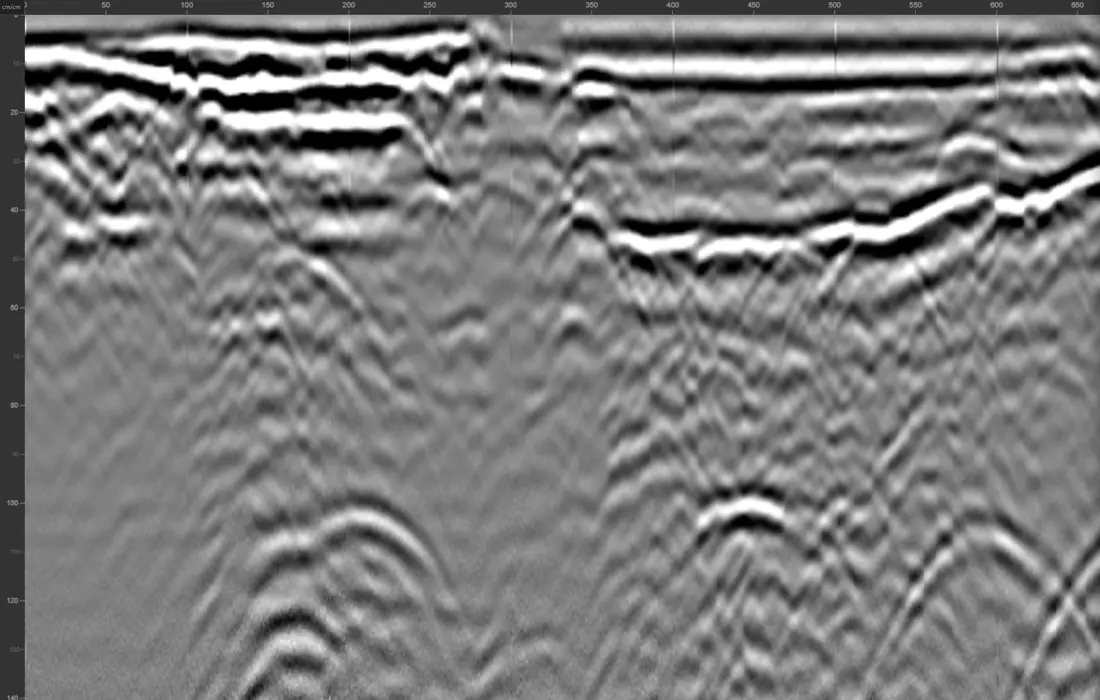
What GPRviewer does for you
- Both Compass channels in the usual order: channel 1 = high frequency, channel 2 = low frequency.
- Polarity and time zero set automatically on opening.
- Default depth cropping suited to each frequency.
- Operator marks shown in place, with their name and colour.
- Large files (over 100 MB) supported.
Going further
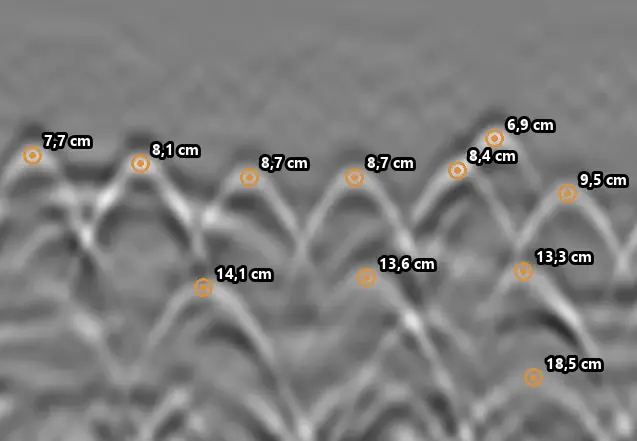
The Pro version adds rebar picking (manual or AI-assisted), measurement, hyperbola fitting, interface tracing, frequency filters, migration, file merging, C-Scan plan view and 3D view, with the same tools for .nx as for .DZT files.
Your files stay yours
Radar files are never kept on our servers. Your settings and picks can be saved in a .mds file next to the radargram.
Frequently asked questions
What software opens .nx files?
GPRviewer opens GSSI .nx files for free, in the browser, with nothing to install, on Windows, macOS, Linux or a tablet.
Are both Compass frequencies read?
Yes. Both channels are read and ordered by frequency: channel 1 for the high frequency, channel 2 for the low frequency.
Are .nx files from NX25 and NX15 antennas supported?
Yes. The system is recognised on opening and the display settings adapt to the antenna.
Do the marks placed during the survey show up?
Yes. Markers and named points placed by the operator are shown on the radargram, in their colour.
Can I open .nx and .DZT files together?
Yes. Both formats open in the same window and are processed with the same tools.
See also
Open a DZT file · Concrete scanning software · Rebar locating with GPR · StructureScan Mini XT software · UtilityScan software · SIR 4000 software · RADAN discontinued: alternative · Free GPR software · Free GPR data · Pro version · AI rebar picking API
Open GPRviewer for free