 GPRviewer
Home › StructureScan Mini XT software
StructureScan Mini XT software
The GSSI StructureScan Mini XT and Mini LXT are handheld concrete scanners with a 2.7 GHz antenna. Their scans are saved as .DZT files. GPRviewer opens them in your browser, so you can review, measure and report back at the office, without RADAN or a dedicated Windows workstation.
Open GPRviewer for freeFree account, nothing to install, runs in your browser.
Open Mini XT scans in 3 steps
- Copy the .DZT files from the scanner to your computer.
- Go to gprviewer.com, create a free account and drop the files onto the window (one file or a whole folder).
- The scan appears with its distance and depth scales. Adjust gain and color map, then export a PNG image.
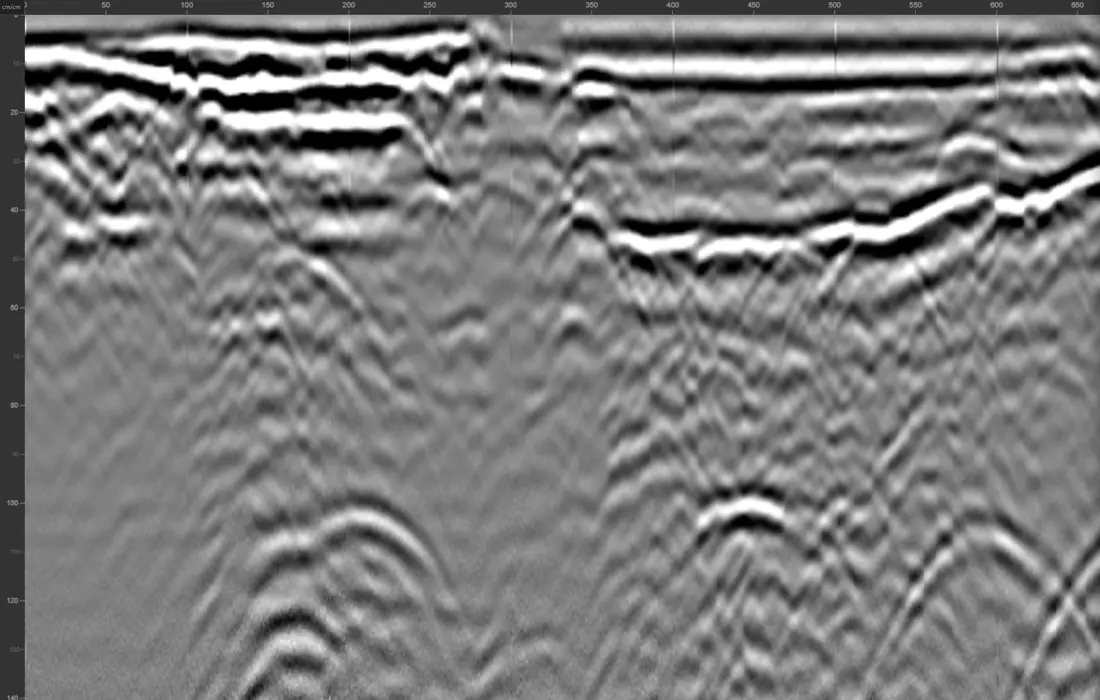
What GPRviewer handles for you
- Mini XT files are read natively, including their 32-bit samples.
- The surface and time zero are detected automatically.
- The depth scale uses the dielectric constant saved by the scanner, which you can refine.
- Scans from one job open together, and consecutive scans can be merged into one profile.
Typical Mini XT jobs
- Checking rebar cover and spacing on a slab, a wall or a column.
- Clearing an area before coring, saw cutting or anchoring.
- Locating post-tension cables and conduits.
- Measuring slab thickness.
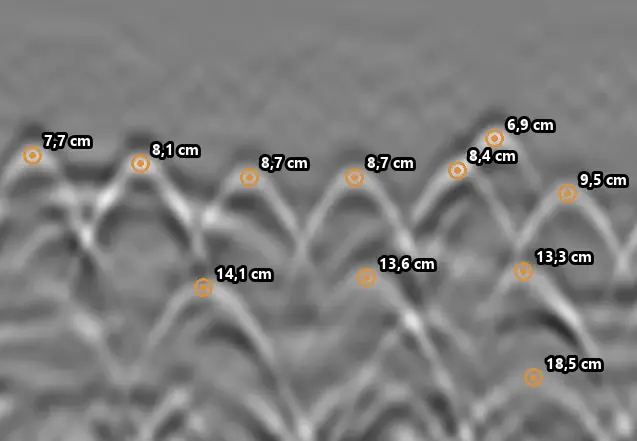
Pro tools for your reports
The Pro version adds manual and AI rebar picking with cover statistics, hyperbola fitting, frequency filters, migration, the C-Scan plan view of parallel scans, and CSV and Excel exports.
Frequently asked questions
Do I need RADAN to open Mini XT files?
No. GPRviewer reads the .DZT files of the StructureScan Mini XT and Mini LXT directly in the browser.
Is it free?
Opening, display, gain, color maps, depth calibration and PNG export are free with a simple account. Analysis tools are in the Pro version.
Can I open scans from a 3D grid?
Yes: the profiles of a grid open together, and the Pro version combines parallel scans into a C-Scan plan view.
Does it work on a Mac or an iPad?
Yes. GPRviewer runs in any recent browser on Windows, macOS, Linux and tablets.
See also
Open a DZT file · Open an NX file · Concrete scanning software · Rebar locating with GPR · UtilityScan software · SIR 4000 software · RADAN discontinued: alternative · Free GPR software · Free GPR data · Pro version · AI rebar picking API
Open GPRviewer for free